
The Google Ad Grant promises up to $10,000 USD in free Google ads for eligible nonprofits.
Every.
Single.
Month.
It sounds like the kind of offer you'd forward to your board with the subject line “scam??” 👀
It’s real, though. And thousands of charities around the world use it to promote the work they do. But the part everybody forgets the second they hear free money?
All those ads are sending people to your website, and your website has to take it from there.
The website part is kind of our whole thing.


We’re Isobel and Samara, the copywriter-designer duo behind In Tandem Studios.
We build Squarespace websites for nonprofits like the Edmonton Youth & Children’s Choir, so we spend a lot of time thinking about what happens after someone clicks. (Possibly too much time. We’ve shared more than a few voice notes about where a donate button should go.)
So before you spend a single grant dollar, here’s what the Google Ad Grant is, who qualifies, the rules for keeping it, and what your website needs to turn those free ads into real registrations, volunteers, and donations.
What is the Google Ad Grant, and What Nonprofits Are Eligible?
The Google Ad Grant is free advertising credit from Google for Nonprofits: up to $10,000 USD a month in search ads, capped at $329 USD a day.
Think of it less as a gift card and more as a daily allowance.
Here’s how the Google Ad Grant works:
You pick keywords that match what your ideal supporters search for, like “kids theatre classes Vancouver.”
When someone searches, Google runs an instant auction among all the ads competing for that search.
The winner depends on your bid and your ad’s quality. AKA, how relevant your ad and landing page are and how likely people are to click.
You only pay when someone clicks, and that charge comes out of your grant instead of your bank account.
As for who qualifies for the grant, it’s pretty straightforward.
Registered charities and eligible nonprofits in participating countries can apply through Google for Nonprofits. Google verifies your organization through a partner company, and most requests are reviewed in 3–5 business days.
In Canada, that means CRA-registered charities, tax-exempt nonprofits, and federal or provincial nonprofit corporations.
In the United States, it includes 501(c)(3) organizations, or group-exempt organizations affiliated with a central 501(c)(3).
And in the UK? Charities registered with the Charity Commission, NICC, or OSCR, or recognized by HMRC, can apply.
Those aren’t the only countries that participate, though. Check Google’s list of eligible countries to see if yours is on it.



And who doesn’t qualify?
Government entities, hospitals and healthcare organizations, and schools and universities aren’t eligible for the Google Ad Grant. But their foundations and philanthropic arms can still apply.
Of course, you can’t get $10,000 in free ads without a few catches.
Grant ads are text-only and show up on Google Search, never above paid ads.
Unused budget doesn’t roll over, so you can’t save all your credits for Giving Tuesday.
You have to follow Google’s rules to keep it, like maintaining a 5% click-through rate…which is where things get interesting for your website.
Does Your Nonprofit Website Meet Google Ad Grant Requirements?
Before your first ad goes live, Google reviews your website against its Ad Grants policy. Here’s what’s on the list, and what it looks like on an actual website:
You own your domain. Your ads have to point to a website you control, not a Linktree, a Facebook page, or a domain that forwards somewhere else.
Your mission is easy to find. Visitors should be able to tell what you do and who you serve within seconds. Google also wants to see your address and your charity registration or tax ID number.
You have real, original content. A one-page site, or one that relies on PDFs to explain your programs, is a common reason for rejection.
Everything works. Every link, button, and form goes where it’s supposed to. Yes, even the donate button in your footer that’s been there for 10 years.
It’s fast and works on phones. Pages need to load quickly on any device. If your site is slow, oversized images are usually why.
It’s secure. Your whole website needs HTTPS, the little padlock in the browser bar.
If you’re on Squarespace, you’re off to a good start. HTTPS is built in.
As for everything else?
Well, that’s where we come in.
During our custom Squarespace website builds, Samara checks image sizes, load times, and how every page looks on a phone while Isobel makes sure visitors understand (and care about) your mission from the first screen. Together, we help people explore your website until they’re signing up, showing up, or donating.
But getting approved is only the beginning. Keeping your grant means passing Google’s checks every month, too.

What Are The Rules For Keeping Your Google Ad Grant?
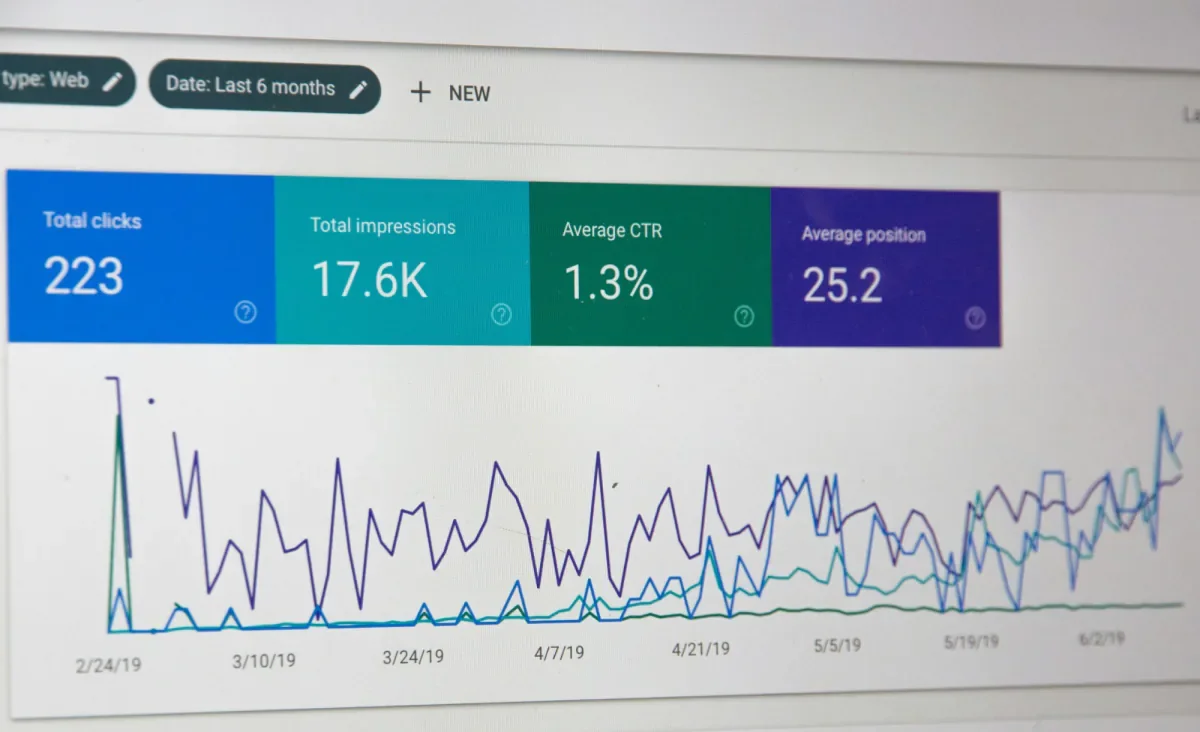
The big rule is a 5% click-through rate. At least 5 of every 100 people who see your ads need to click on them. Fall below that two months in a row, and Google can temporarily deactivate your account.
But Google also wants proof that those clicks are turning into conversions. That means tracking at least one meaningful action a month, like a registration or donation.
Google also has rules about what keywords you use (no lone “sports,” and your keyword, ad, and page all have to fit the search), how your ads are organized (at least two groups per campaign), and how many sitelinks you have (again, at least two).
Notice a pattern?
Your keywords have to match the page people land on. Sitelinks need pages worth linking to. And tracking registrations or donations only works if there’s a clear finish line to direct traffic to.
So a good chunk of Google’s ad rulebook is ACTUALLY about your website. Not your ads.


Why Your Nonprofit Website Decides Whether the Google Ad Grant Works
Here's the thing about $10,000 a month in free ads: an ad's job ends when someone clicks. What happens next is up to your website.
Because an ad doesn't register anyone for spring classes. It doesn't sign up a single volunteer or process a single donation. It gets someone to your door, and that's it.
Your website is where an overscheduled parent decides your program is worth giving up their Saturday mornings for, or a hard-to-impress major donor finds a cause they're proud to give a cheque to.
And Google is checking out your site too.
Remember, you’ll need one real conversion a month to keep your grant, which means your website needs to actually encourage visitors to take action.
Every time your ad competes for a search, Google grades how well it matches what someone was looking for. And part of that grade (called your Quality Score) is the page your ad sends people to. A confusing page means your ad shows up less, costs more of your grant, or gets paused entirely.
So every page your ads link to is doing two jobs at once: convincing the people who land there, and convincing Google to keep sending more of them…with $10,000 a month riding on both.
Is The Google Ad Grant Worth It For Nonprofits?
Yes, the Google Ad Grant is totally worth it for nonprofit organizations IF (there’s always an if, right?), your website is ready to do something with all that traffic.
And ready means a website where copy and design are built in tandem, so someone can go from a Google search to signed up in a few minutes. Because a beautiful page nobody understands and a brilliant pitch nobody can find lose people at exactly the same speed.
“But what about AI? Are people even using Google Search anymore?”
We hear you.
With AI Overviews answering questions at the top of Google and people turning to Claude instead of search, you might be wondering whether ads (free or not) are even worth it anymore.
For the searches that truly matter, yes. Ads are worth it.
AI can answer "what age should kids start theatre?" but it can't sign anyone up for your spring session. Someone searching "kids theatre classes Vancouver" still needs to click and decide you're the organization they want to register their kid with.
And that decision happens on your website.

If your website's ready, $10,000 a month in free ads can fill your classes, bring in volunteers, and grow your donor list.
If it's not, your team spends real hours on clicks that go nowhere…until Google pauses your grant altogether.
Which is why, for some nonprofits, the honest answer to “is the Google Ad Grant worth it?” is "not yet."
If your website is a single page, explains your programs in PDFs, or takes so long to load on a phone that people give up before they see your mission, those free clicks have nowhere good to land. And even a website that works perfectly can fall short if it's written to explain instead of persuade.
The good news? A website that isn't ready can get there.
Every custom Squarespace website we build covers the persuasive copy, the design, and the less glamorous technical details Google checks for, like mobile optimization, page titles, and alt text.
So, if you'd like your website ready before your first grant ad goes live, fill out our inquiry form and mention that you're a nonprofit. We offer 10% off our services for nonprofit organizations!
FAQs about Google Ad Grants for Nonprofits
-
Yes. Google covers up to $10,000 USD a month in search ads, capped at $329 USD a day, and you're never charged for the clicks that come out of your grant.
-
Yes. CRA-registered charities, tax-exempt nonprofits, and federal or provincial nonprofit corporations can all apply through Google for Nonprofits. Registered charities will need their 15-digit CRA business number (the one with "RR" in it).
-
Not necessarily. Your current nonprofit website can qualify if you own the domain, it's secure, it works on phones, every link goes where it should, and it clearly explains your mission with real, original content. But passing Google's review and turning grant clicks into registrations and donations are two different things…
Not sure where yours stands? Submit it for our free Fix-This-First Website Audit, and we'll send you the one change to make first.